Best AI Image-to-Video Generators in 2026: Turn a Photo into Video
10 min read
Turn any photo into a video with AI. We compare the best image-to-video generators of 2026: imageat, trendai.video, Kling, Runway, Seedance and more.
Try imageat free →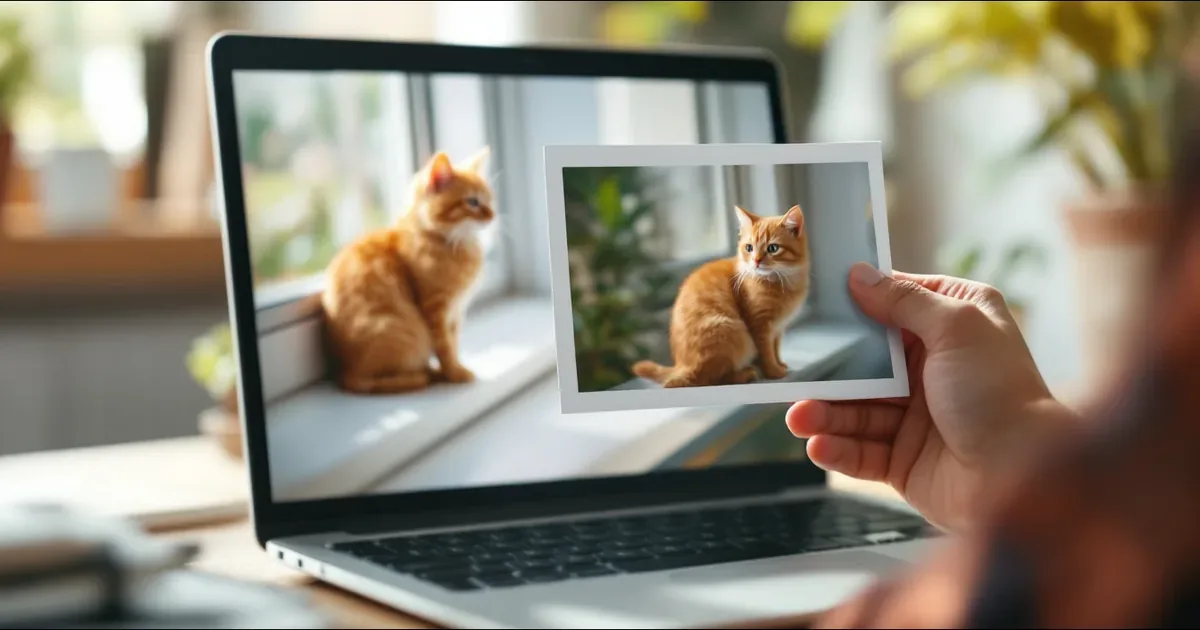
On this page
- Quick picks
- How image-to-video works (and what to look for)
- 1. imageat: best overall image-to-video generator
- 2. trendai.video: best for turning one photo into a trend
- 3. Kling AI: best for long, controlled animations
- 4. Runway: best for precise motion prompts
- 5. Dreamina (Seedance): best free access to Seedance
- 6. Hailuo AI: best budget realism
- 7. PixVerse: best free daily animations
- 8. Vidu: best for multi-reference and anime
- 9. Luma: best for HDR pipelines
- 10. Hedra: best for making a portrait talk
- Tips for better image-to-video results
- FAQ
- What is the best AI image-to-video generator?
- Can I turn a photo into a video for free?
- How long can an image-to-video clip be?
- Will the person in my photo still look like themselves?
- What is first and last frame?
Image-to-video is the most useful mode of AI video for most people. Text-to-video invents everything from scratch. Image-to-video starts from your picture, so the face, pet, product or scene stays the one you chose, and the AI only adds motion, camera movement and sound.
It's also where the models have improved the most. On the public Artificial Analysis image-to-video leaderboard (blind human votes, November 13, 2026), ByteDance's Seedance 2.5 ranked first, followed closely by Seedance 2.0, MiniMax H3 and several models built on it.
This guide compares the best AI image-to-video generators in 2026, with prices and specs from each tool's own pages.
Disclosure: Viral Trend Video is run by the team behind imageat and trendai.video, ranked #1 and #2. The rest are described from their published pricing and documentation.
Quick picks
| # | Tool | Best for | Image-to-video highlights | Starting price | Free option |
|---|---|---|---|---|---|
| 1 | imageat | Choosing the best model per photo | Seedance 2.5, Kling 4.0, Wan 3.0, Omni Flash 1.2 (up to 4K), first/last frame | $9.99/mo | Free sign-up |
| 2 | trendai.video | One photo → viral trend video | 636 templates, Seedance 2.5, Wan 3.0 | $9.99/week | No free plan listed |
| 3 | Kling AI | Long, controlled animations | 3–30 s, up to 10 references and keyframes | $8.80/mo | Basic, limited |
| 4 | Runway | Precise motion prompts and editing | Gen-4.5, 2–10 s, 6 aspect ratios | $15/mo ($12 yearly) | 125 one-time credits |
| 5 | Dreamina (Seedance) | Top-ranked I2V model with daily US credits | Seedance models | $15/mo | 120 credits/day (US) |
| 6 | Hailuo AI | Cheap realistic motion | MiniMax H3, 4–15 s, start/end frames | ~$10.50/mo | One-time pack |
| 7 | PixVerse | Free daily animations and effects | V6, 1–15 s | $10/mo ($8 yearly) | 60 + 30 credits/day |
| 8 | Vidu | Multi-reference and anime | Q3, up to 16 s, start-end frames | Paid plans | Trial + daily credits |
| 9 | Luma | HDR output for professionals | Ray3.2, 5 or 10 s, keyframes | $30/mo ($25 yearly) | None listed |
| 10 | Hedra | Making a portrait talk | Character video from a face + voice | $20/mo | None |


 Kling AI
 Runway
 Dreamina (Seedance)
 Hailuo AI
 PixVerse
 Vidu
 Luma
 Hedra
How image-to-video works (and what to look for)
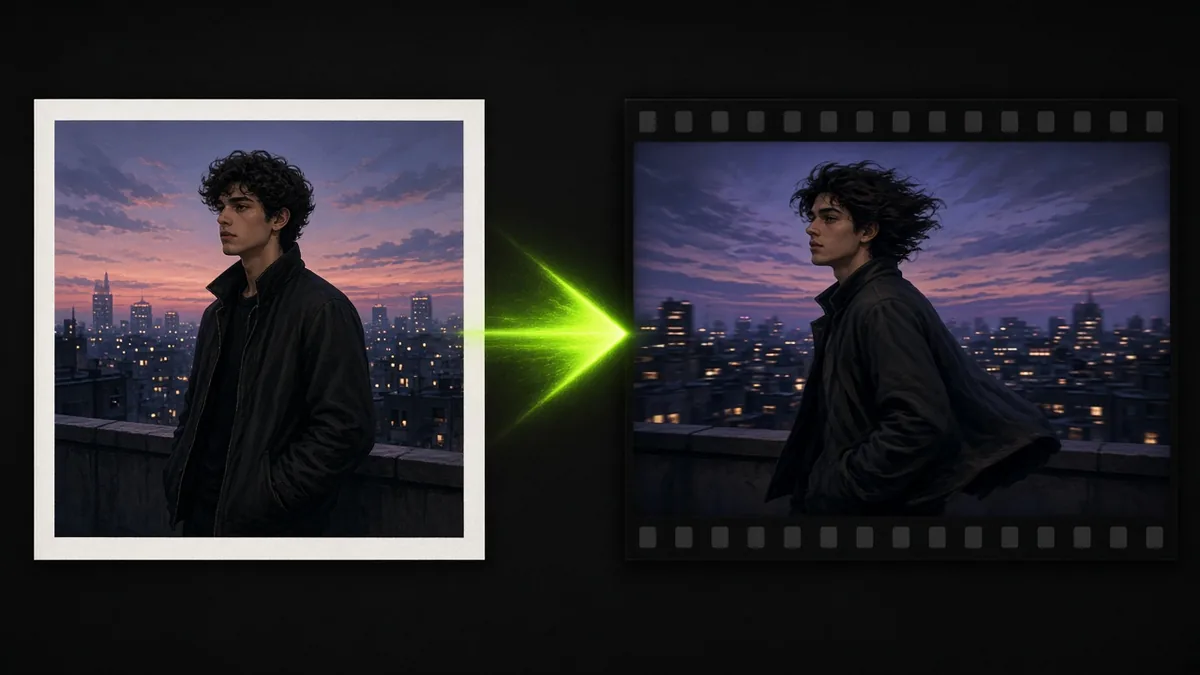
You upload a still image and describe the motion: "she turns to the camera and smiles," "the camera slowly pushes in as snow starts to fall." The model keeps your image as the first frame and generates what happens next.
Three features separate good tools from basic ones:
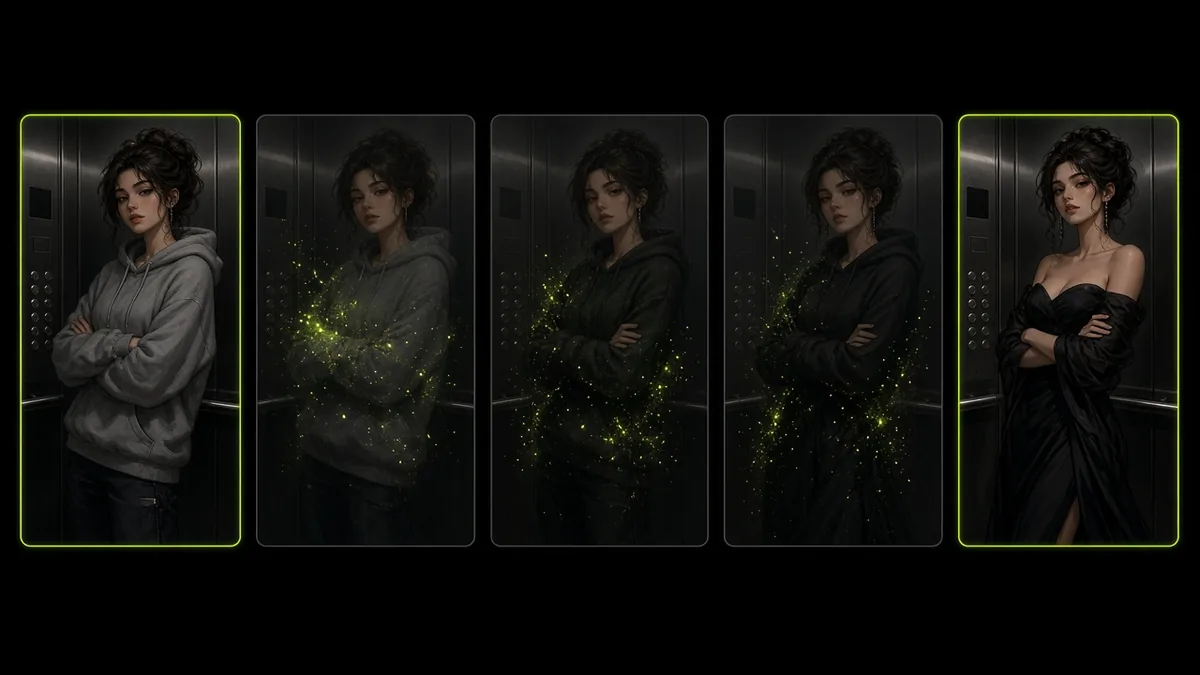
- First and last frame. You give both the starting and ending image, and the AI fills the middle. Perfect for transformations, outfit changes and product reveals.
- Reference images. Several photos of the same subject help keep a face or product consistent across angles.
- Length and resolution. In 2026 the best models go to 30 seconds and 1080p or 4K. For social posts, 5–10 seconds at 1080p is usually enough.
1. imageat: best overall image-to-video generator
Different photos suit different models. A portrait might look best on Seedance 2.5, a wide landscape on Wan 3.0, a long action shot on Kling 4.0. imageat lets you upload once and choose:
- Seedance 2.5: cinematic motion up to 30 seconds; the top-ranked image-to-video model in November 2026.
- Kling 4.0: 3–30 seconds from a start image, first and last frames, or up to 10 reference images; 720p and 1080p.
- Gemini Omni Flash 1.2: 3–15 seconds with native audio at up to 4K, from a start image, first/last frames or up to 10 references.
- FLUX 3 Max: 5–20 seconds at 720p or 1080p with native audio, with text, image and first/last-frame modes.
- Wan 3.0, MiniMax H3 Max and more.
There's also a motion-transfer tool, AI dance and lip-sync tools, and a trends library where one photo becomes a ready-made viral format.

Pricing: Starter $9.99/month (100 credits), Pro $29.99 (340), Premium $49.99 (530). Failed generations aren't charged.
- Pros: the widest image-to-video model choice in one place; first/last-frame and reference modes; images and edits in the same account.
- Cons: no free video credits; 4K and long clips use more credits.
- Best for: anyone who wants the best result per photo.
2. trendai.video: best for turning one photo into a trend
trendai.video is image-to-video with the prompting removed. You choose a viral trend from its template library (636 templates when we checked, many marked "Img → Vid"), upload one photo and download a ready-to-post video. Categories include Holiday & Events, Pets & Animals, Fantasy & Magic, Portrait & Style and Transformations.
For your own prompts, its video generator recommends Image to Video for photos of people "so the face comes from your picture and not from the prompt," and First & Last Frame for transitions and product reveals. Models: Seedance 2.5 (720p, 4–30 s), Wan 3.0 (1080p, 2–30 s), FLUX 3 Max (1080p, 5–20 s) and MiniMax H3 Max (1080p, 2–15 s).
Pricing: Weekly $9.99 (2,000 credits), Monthly $29.99 (5,000), Yearly $249.99 (25,000). Packs never expire.
- Pros: fastest photo-to-video for social; clear per-generation prices; clear rules on using your own or consented photos.
- Cons: focused on short social clips; no free plan.
- Best for: selfies, couple photos and pet photos.
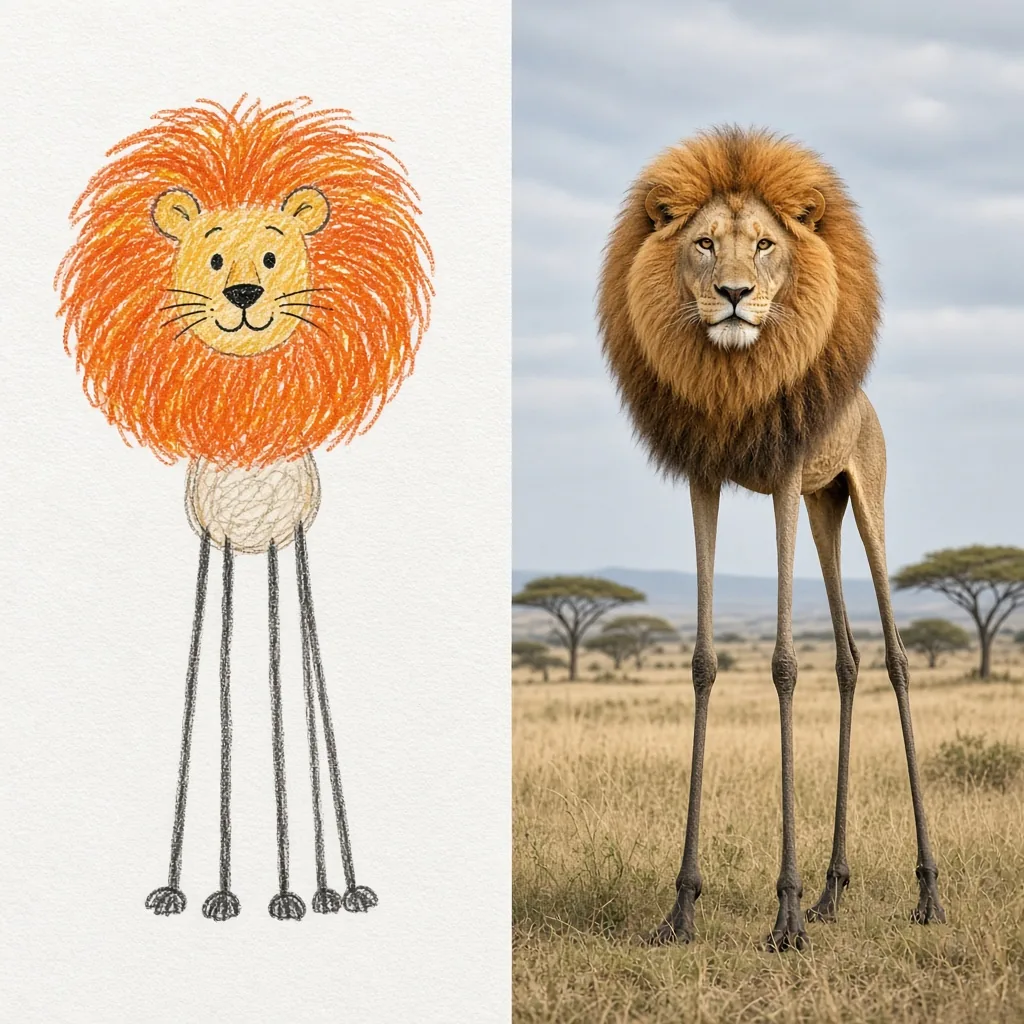
Try it on a trend from our tracker, like Christmas Princess Carriage, Kids Drawing to Life or Giant Hands Dress Up.
3. Kling AI: best for long, controlled animations
Kling 4.0 is a strong image-to-video model: 3–30 seconds, 720p/1080p/4K, 10-bit HDR, native stereo audio, first and last frames, up to 10 keyframes and up to 10 reference images. Pricing: Standard $8.80/month (660 credits), Pro $293.04/year, Premier $728.64/year.
- Pros: fine control over motion and timing.
- Cons: more settings to learn; no fixed published 4.0 credit rate.
- Best for: planned shots and longer animations.
4. Runway: best for precise motion prompts
Runway Gen-4.5 image-to-video produces 2–10 second clips at 720p in six aspect ratios (16:9, 9:16, 1:1, 4:3, 3:4, 21:9) for 12 credits a second. Runway's guide recommends that image-to-video prompts focus on describing motion, since the image already supplies the look.
Pricing: Free (125 one-time credits), Standard $15/month ($12 yearly), Pro $35 ($28 yearly), Max $95 ($76 yearly).
- Pros: excellent prompt adherence; editing tools; 4K upscaling on paid plans.
- Cons: 720p output and a 10-second cap on Gen-4.5.
- Best for: editors who want control.
5. Dreamina (Seedance): best free access to Seedance
Dreamina, from ByteDance's CapCut team, runs Seedance models and gives US free accounts 120 credits a day. Basic is $15/month for 1,575 credits with watermark-free downloads.
- Pros: Seedance quality; daily US credits.
- Cons: free downloads watermarked; allowance varies by region.
- Best for: trying Seedance for free. Seedance 2.5 is also available on imageat and trendai.video.
6. Hailuo AI: best budget realism
MiniMax H3 makes 4–15 second clips with native sound at 768p or 2K, and the H3 Max variant works from start and end frames. New accounts get a one-time welcome pack that expires after three days; paid plans start around $10.50/month.
- Pros: low cost per second; realistic movement.
- Cons: no recurring free credits.
- Best for: realistic product and lifestyle shots.
7. PixVerse: best free daily animations
Free PixVerse accounts get 60 credits plus 30 every day. V6 makes 1–15 second clips up to 1080p with optional audio, and the web app has lots of photo effects. Standard is $10/month ($8 yearly).
- Pros: daily credits; fun effects.
- Cons: lower resolution on free and Standard plans.
- Best for: casual photo animations.
8. Vidu: best for multi-reference and anime
Vidu Q3 generates up to 16 seconds with synchronized audio at 540p, 720p or 1080p, and its API includes start-end-to-video. It's known for smooth 2D animation and multi-reference consistency. New users get trial credits plus daily login credits.
9. Luma: best for HDR pipelines
Luma Ray3.2 does image-to-video in 5 or 10 second clips up to 1080p, with HDR and EXR output and keyframes. Plus is $30/month ($25 yearly) for 10,000 credits. No free plan is listed.
10. Hedra: best for making a portrait talk
If you want a photo to speak, Hedra's character models animate a face from an image and a voice. Basic is $20/month (2,000 credits) and Pro $50 (7,200, commercial use). Use your own photo or a fully fictional character, never someone else's face without permission.
Tips for better image-to-video results
- Start with a sharp, well-lit photo. Blurry or tiny images give blurry, unstable video.
- Match the aspect ratio to where you'll post: 9:16 for TikTok, Reels and Shorts.
- Describe motion, not appearance. The image already shows what things look like. Say what moves and how the camera moves.
- Keep it short at first. Test at 5 seconds, then extend the one that works.
- Use first and last frames for transformations, like Elevator Outfit Change or Self Hug Sketch.
- Only use photos you have the right to use: yourself, your pets, your products, or people who agreed.
Need prompts? Our prompt library and trend recipes include motion prompts tested on these models. For the full field, see best AI video generators of 2026.
FAQ
What is the best AI image-to-video generator?
In November 2026, Seedance 2.5 ranked first on the Artificial Analysis image-to-video leaderboard. imageat gives you Seedance 2.5 alongside Kling 4.0, Wan 3.0 and Gemini Omni Flash 1.2, so you can pick the best model per photo.
Can I turn a photo into a video for free?
Yes, with daily credits on PixVerse (60 plus 30 a day), Dreamina (120 a day in the US) and Google Flow (50 a day). Runway gives 125 credits once.
How long can an image-to-video clip be?
Up to 30 seconds per generation on Kling 4.0, Seedance 2.5 and Wan 3.0. Most social clips work best at 5–15 seconds.
Will the person in my photo still look like themselves?
Image-to-video keeps far more likeness than text-to-video because it starts from your photo. Use a clear front-facing image and short clips for the best consistency.
What is first and last frame?
You give the AI a starting image and an ending image, and it generates the motion between them. It's ideal for outfit changes, before/after reveals and transitions.