 Viral Trend Video
Testing Style Maintenance and Modification in GPT Image 1.5
A test of GPT Image 1.5 involving four steps: generating an initial image, requesting the character to sing and dance on stage while maintaining the style, changing the style to a simple, bright pastel palette, and finally, adding a headset and a heart gesture.
Testing Style Maintenance and Modification in GPT Image 1.5 is a free GPT Image 1.5 illustration prompt. Copy it, swap in your own details, and credit 眠い個人.
Published: ·Prompt for: GPT Image 1.5
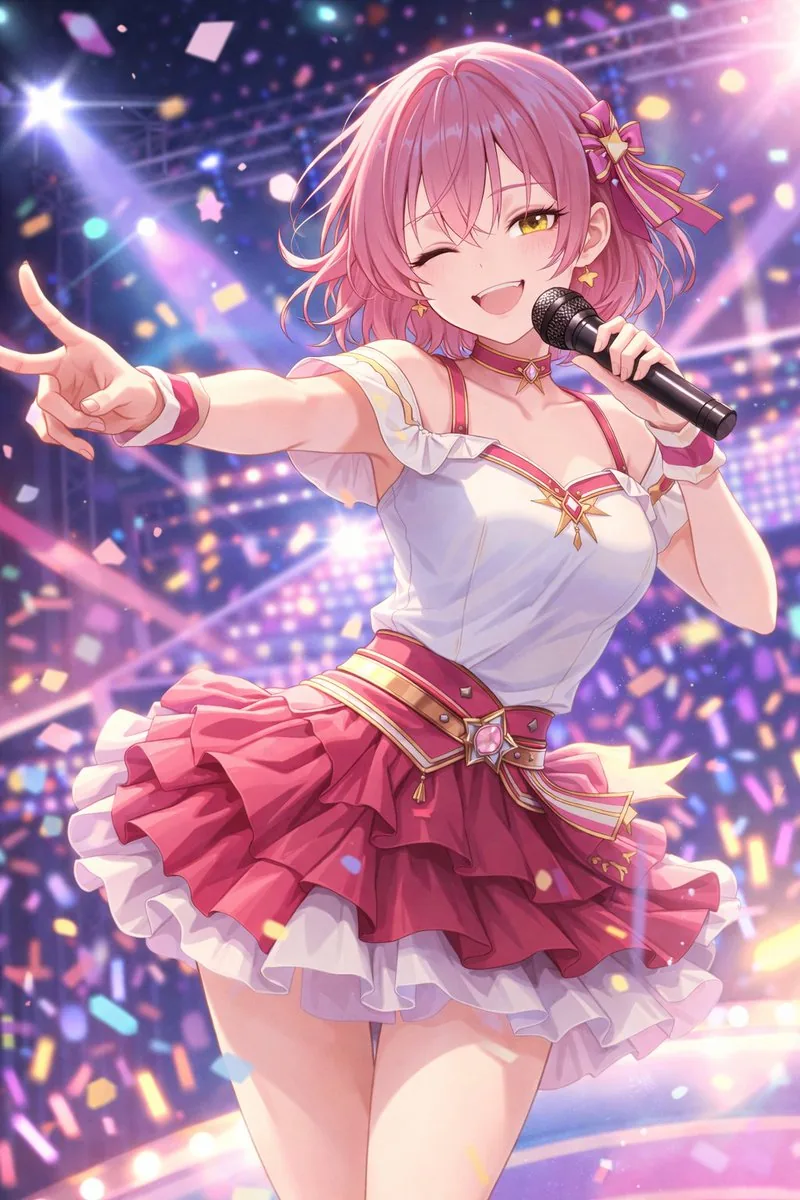
The full prompt
Request the state of singing and dancing on stage while maintaining the art style
Request a change in art style (simplification such as color reduction and deformation, and a request to shift the color palette towards bright pastel tones)
Change to a headset and make a heart shape with both hands, leaving the color arrangement to the AI
Have it running in three steps
- Open GPT Image 1.5 or the image model you already use.
- Paste the prompt above.
- Generate a few versions and keep the best one.
What you’ll need
- A model: GPT Image 1.5
- The prompt on this page (use the Copy button)
The whole process
- Open GPT Image 1.5, or the image model you already use.
- Copy the prompt with the Copy button.
- Paste it in and generate a few versions.
- Keep the best result and tweak one detail at a time.
What’s in this prompt
It is a illustration prompt for GPT Image 1.5, 338 characters long.
Frequently asked questions
What is the Testing Style Maintenance and Modification in GPT Image 1.5 prompt?
A test of GPT Image 1.5 involving four steps: generating an initial image, requesting the character to sing and dance on stage while maintaining the style, changing the style to a simple, bright pastel palette, and finally, adding a headset and a heart gesture. It is a illustration prompt written for GPT Image 1.5.
How do I use the Testing Style Maintenance and Modification in GPT Image 1.5 prompt?
1. Open GPT Image 1.5, or the image model you already use. 2. Copy the prompt with the Copy button. 3. Paste it in and generate a few versions. 4. Keep the best result and tweak one detail at a time.
Which AI model is it for?
It is listed for GPT Image 1.5. We have not verified it on other models.
Is the prompt free?
Yes. It is shared under CC BY 4.0 by 眠い個人 via awesome-gpt-image-1.5. You can copy and adapt it, keeping the credit to the creator.
Who created it?
眠い個人, published Dec 17, 2025. Collected by awesome-gpt-image-1.5 (YouMind OpenLab).
How long is the prompt?
338 characters, about 58 words.
Where can I find more GPT Image 1.5 prompts?
Browse all prompts on Viral Trend Video. Related: JSON Prompt to Recreate Image Details, Artistic Composition Strategy, Cool Illustration of Ouroboros.
JSON Prompt to Recreate Image DetailsArtistic Composition StrategyCool Illustration of OuroborosAll prompts
Published
More GPT Image 1.5 prompts


Get the daily digest
New and shifting trends by email. No account needed. Prefer feeds? RSS · JSON
Sponsored Digest sponsor line: Your brand here (open slot)
Prompt by 眠い個人 · via YouMind OpenLab · CC BY 4.0 · Credits