 Viral Trend Video
Late 1800s United States Patent Office Document
AI image generation prompt: Late 1800s United States Patent Office Document Prompt. Change invention as you need.
Late 1800s United States Patent Office Document is a free Image models illustration prompt. Copy it, swap in your own details.
Published: ·Prompt for: Image models
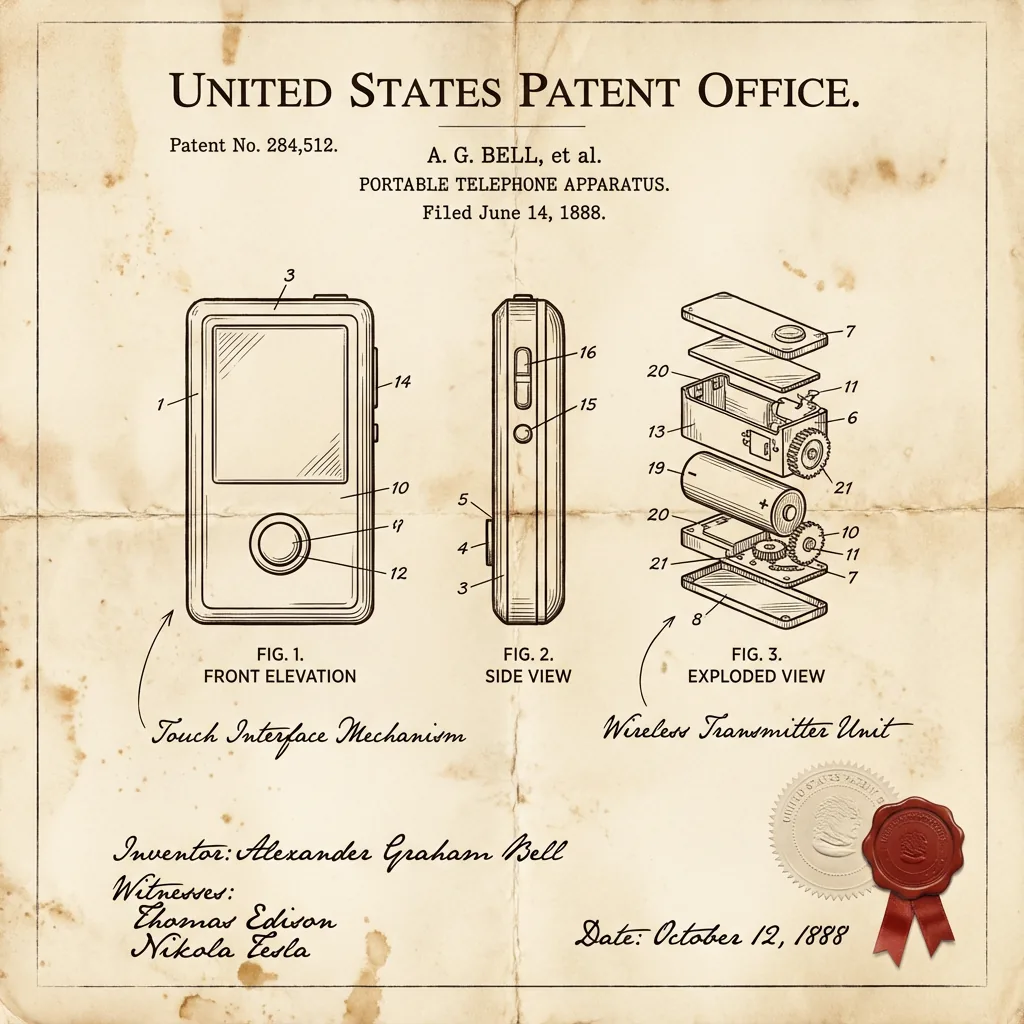
The full prompt
A vintage patent document for an invention, styled after late 1800s United States Patent Office filings. The page features precise technical drawings with numbered callouts (Fig. 1, Fig. 2, Fig. 3) showing front, side, and exploded views. Handwritten annotations in fountain-pen ink describe mechanisms. The paper is aged ivory with foxing stains and soft fold creases. An official embossed seal and red wax stamp appear in the corner. A hand-signed inventor's name and date appear at the bottom. The entire image feels like a recovered archival document — authoritative, historic, and slightly mysterious.
Have it running in three steps
- Open Image models or the image model you already use.
- Paste the prompt above.
- Generate a few versions and keep the best one.
What you’ll need
- A model: Image models
- The prompt on this page (use the Copy button)
The whole process
- Open Image models, or the image model you already use.
- Copy the prompt with the Copy button.
- Paste it in and generate a few versions.
- Keep the best result and tweak one detail at a time.
What’s in this prompt
It is a illustration prompt for Image models, 606 characters long.
Frequently asked questions
What is the Late 1800s United States Patent Office Document prompt?
AI image generation prompt: Late 1800s United States Patent Office Document Prompt. Change invention as you need. It is a illustration prompt written for Image models.
How do I use the Late 1800s United States Patent Office Document prompt?
1. Open Image models, or the image model you already use. 2. Copy the prompt with the Copy button. 3. Paste it in and generate a few versions. 4. Keep the best result and tweak one detail at a time.
Which AI model is it for?
It is listed for Image models. We have not verified it on other models.
Is the prompt free to copy?
Yes, you can copy the prompt text from this page and use it in Image models at no cost. Check the terms and pricing of the model you run it in.
When was it added?
It has been listed on Viral Trend Video since Jan 1, 2026. The example image above shows a result for this prompt.
How long is the prompt?
606 characters, about 93 words.
Where can I find more Image models prompts?
Browse all prompts on Viral Trend Video. Related: Conceptual brand storytelling visual prompt, Magic Barrier Technique Drawing Test, Stone-carved statue on a sculptor's workbench prompt.
Conceptual brand storytelling visual promptMagic Barrier Technique Drawing TestStone-carved statue on a sculptor's workbench promptAll prompts
Published
More Image models prompts

Get the daily digest
New and shifting trends by email. No account needed. Prefer feeds? RSS · JSON
Sponsored Digest sponsor line: Your brand here (open slot)